.png)

.png)
What Is Yondr?
Yondr creates phone-free spaces. The Yondr system is a straightforward solution that enables you to maintain control of your phone at all times.
What Is A Phone-Free School?
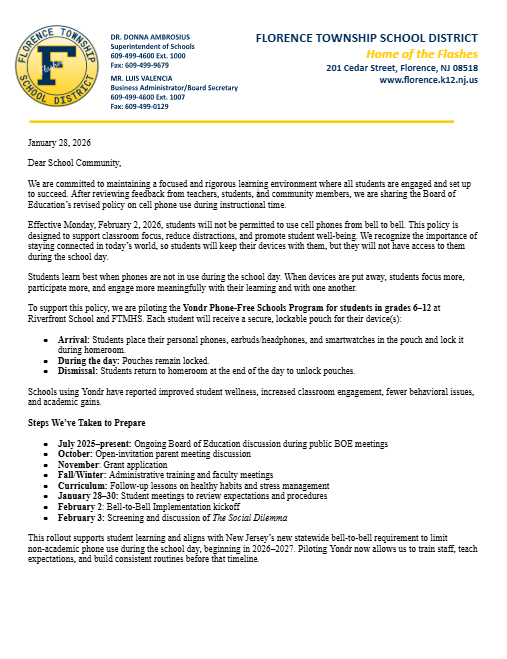
A phone-free school is a distraction-free learning environment where students keep their smartphones and other personal technology (airpods/apple watches) in Yondr pouches from arrival to dismissal. Yondr works with thousands of schools across 27 countries and all 50 U.S. States.
How Does It Work? FTMHS and Riverfront School students in grades 6-12 will be using Yonder pouches to store their phones. Upon arrival in homeroom, all phones and smart watches are placed in Yondr pouches. Students maintain possession of their phones at all times. At the end of the day, students will return back to their homerooms to unlock their Yondr pouches before dismissal.
Will The Pouch Affect My Phone In Any Way?
No
Do I Maintain Possession Of My Phone At All Times?
Yes. You will maintain possession of your phone and are responsible for it throughout the duration of the day.
What happens if there is an emergency during the school day and I can’t access my phone?
Students will be allowed to go to the office to make a phone call, either on the office phone or by unlocking their Yondr pouch, under the direction of administration.
What does "bell-to-bell" mean?
It means phones must be put away from the moment students arrive in homeroom (first bell) until they leave (last bell), covering all school hours, except for approved uses.
What devices are included in the ban?
Smartphones, smartwatches, tablets, and other internet-enabled devices, not just phones.
Are there any exceptions?
Yes, for disability accommodations, translation needs, and emergencies (like a school lockdown or weather evacuation, following staff direction). Please see Policy 5516.
Can students use phones at lunch?
No. Phones may not be used at any time during the instructional day, including lunch.
Does this apply to after-school activities?
No. This law and policy apply only during the school day. After the final bell, students may use phones as usual unless restricted by a coach, sponsor, or event-specific rule.
What counts as during the school day?
“School day” means from the moment the first bell rings in homeroom to the final bell — including and not limited to:
1. Class time
2. Hallways
3. Restrooms
4 .Lunchroom
5. Passing periods
6. Any supervised instruction or activity during school hours
What if I have to contact my child during the school day?
Contact your student's school main office. Staff will make sure urgent messages are delivered. Students will not be allowed to check or use their phones during school hours. You can also email your child if needed.
What if my child has to leave school early - how do they get access to their phone back?
Students will report to the main office with their Yondr pouch, and the staff will be able to unlock it before they leave.
What are the goals of this policy?
To keep students focused on learning, improve mental health, reduce cyberbullying, and foster real-world social interactions.
What about parent communication during emergencies?
Schools manage communication, with guidance suggesting phones should remain silenced in lockdowns unless officials direct otherwise, balancing safety with avoiding disruption.
Does this ban affect school-issued devices?
No, it only applies to personal, internet-connected devices; our schools will still use chromebooks for learning.
Are there extra pouches available or can they only be opened in homeroom?
If a student requires access for a specific reason, their pouch can be opened in the Nurse’s Office, Guidance Office, or Main Office. Each location will have a magnet available to open pouches. This should be a rare occurrence and used only when necessary.
What if my student is enrolled in an RCBC online class and needs the access code to log in?
Students will be allowed to briefly unlock their Yondr pouch to retrieve the access code needed to log in to class, then relock it under the classroom teacher's supervision.
What happens if my student tries to use their phone during the school day?
Each school will follow a consistent, age-appropriate response outlined.
Who does this policy apply to?
This policy applies to all students. Yondr pouches will be used with students in grades 6–12.

